Jobs
Standard Business Central jobs and job tasks. Hours logged in the app become job ledger entries the project manager already knows.
Xago Mobile is the field app for Microsoft Dynamics 365 Business Central. It reads the jobs, service orders, resources, employees, absence and qualifications you already have, and gives the person on site one list of tasks with checklists, deviation reports, hours by work type and signatures. Hours land as job or service entries in your own Business Central. For planning, Xago Order Calendar, a native Windows app, shows service orders and projects from Business Central on a calendar board.
The task list is a view, not a silo. Xago Mobile shows work from standard jobs and service orders side by side with your own entities, and the setup decides which fields the worker sees. Xago Order Calendar adds a calendar board on top for planning service orders and projects.
Standard Business Central jobs and job tasks. Hours logged in the app become job ledger entries the project manager already knows.
Service technicians get their service orders as tasks, with checklists and time registration on the service item.
Any custom entity in your Business Central can feed the task list. We map its fields into the task template, and the app treats it like any other task.
A native Windows app that shows service orders and projects from Business Central per resource and employee on a calendar board, with approved absence blocked out. Plan the week there, and the app shows the result on the phone.
Start on standard jobs and service orders alone, and add Order Calendar when you want to plan them per resource and employee. A technician with service orders and a driver with projects use the same app with different templates.
This is what the app looks like for the person on site. The five tabs at the bottom are Tasks, Reports, Time list, Absence and More.
The Tasks tab lists everything the employee is expected to do, from every source. Opening a task shows what to do, where, and who to call.
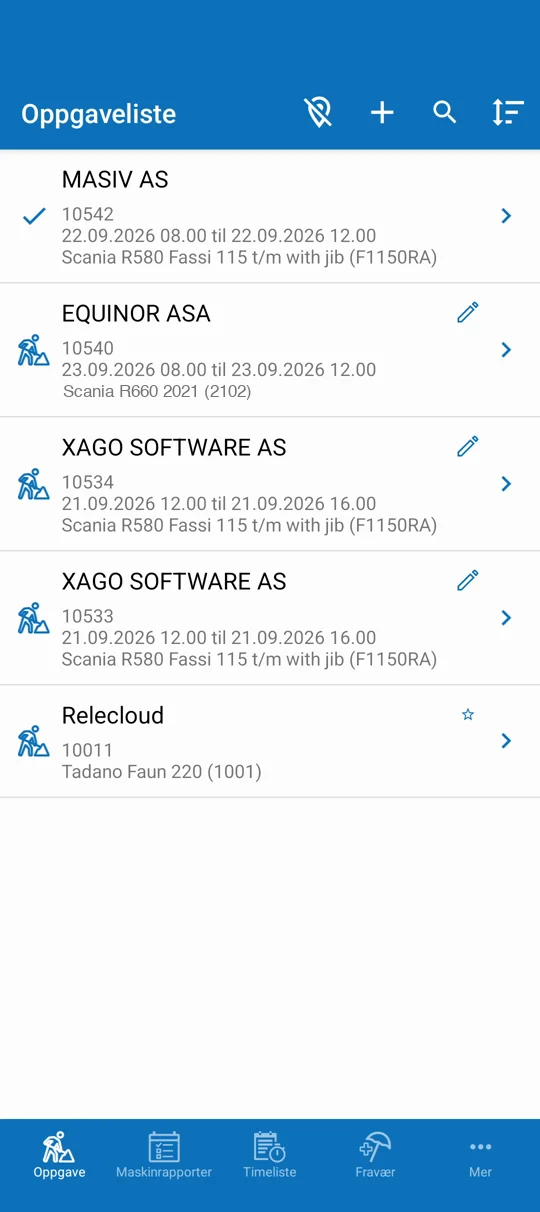
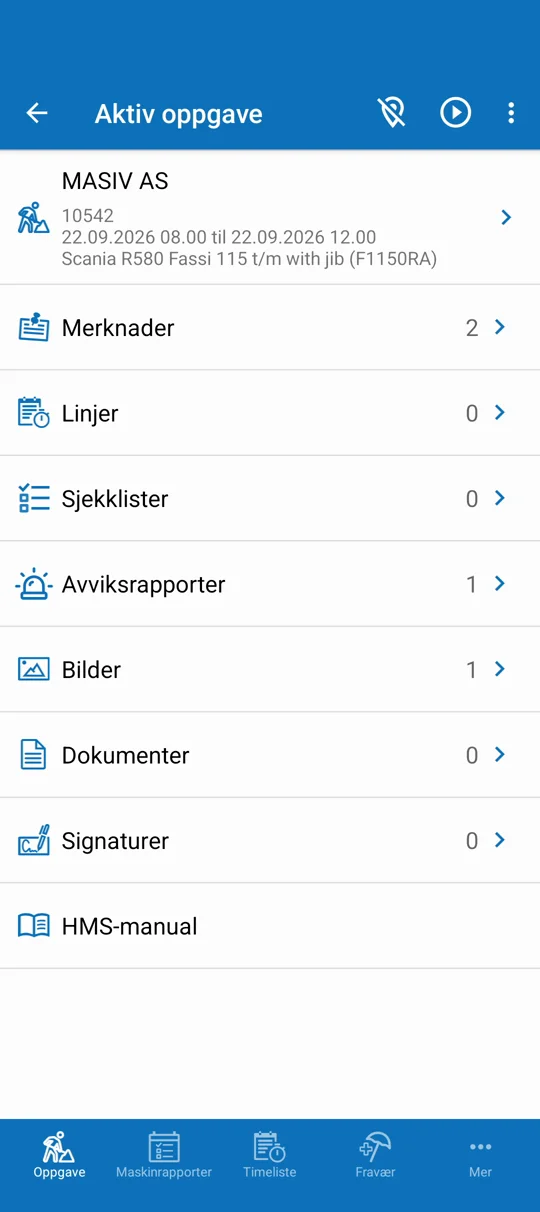
Every task carries its own checklists, deviation reports, photos, documents and signatures. Nothing is left for the evening.
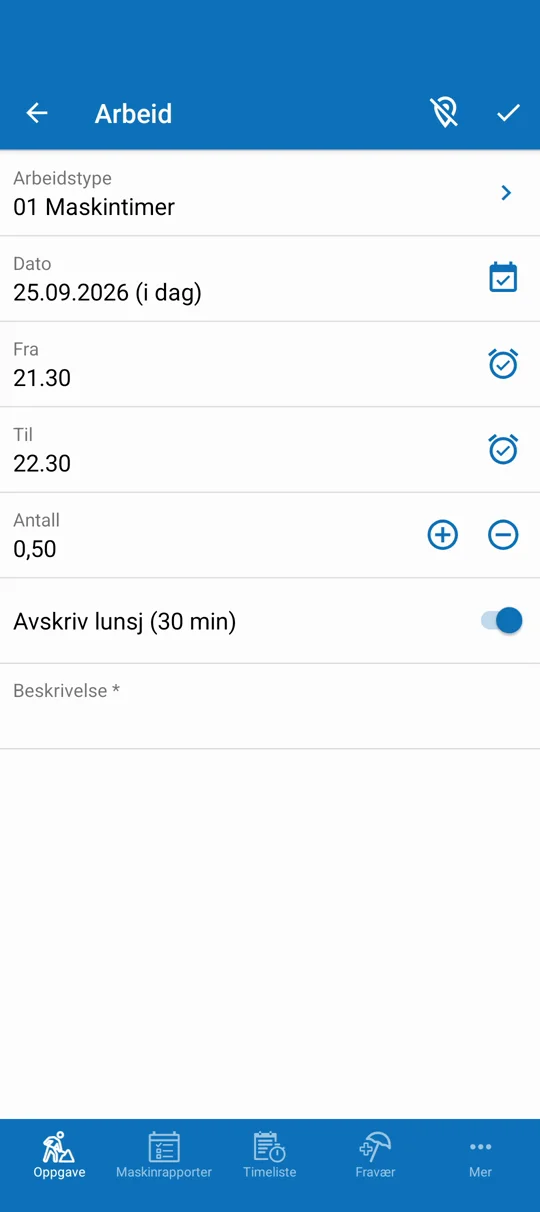
Press play when the work starts and stop when it ends, or add lines by hand. Every line is a standard Business Central work type with its own template and rules.
Resources are standard in Business Central, and the app shows the resource fields you choose. Checklist answers can raise warnings on a resource, so a vehicle, a machine or a tool carries its own status. With Xago Dispatcher, resources become full machine cards with registration number and inspection dates.
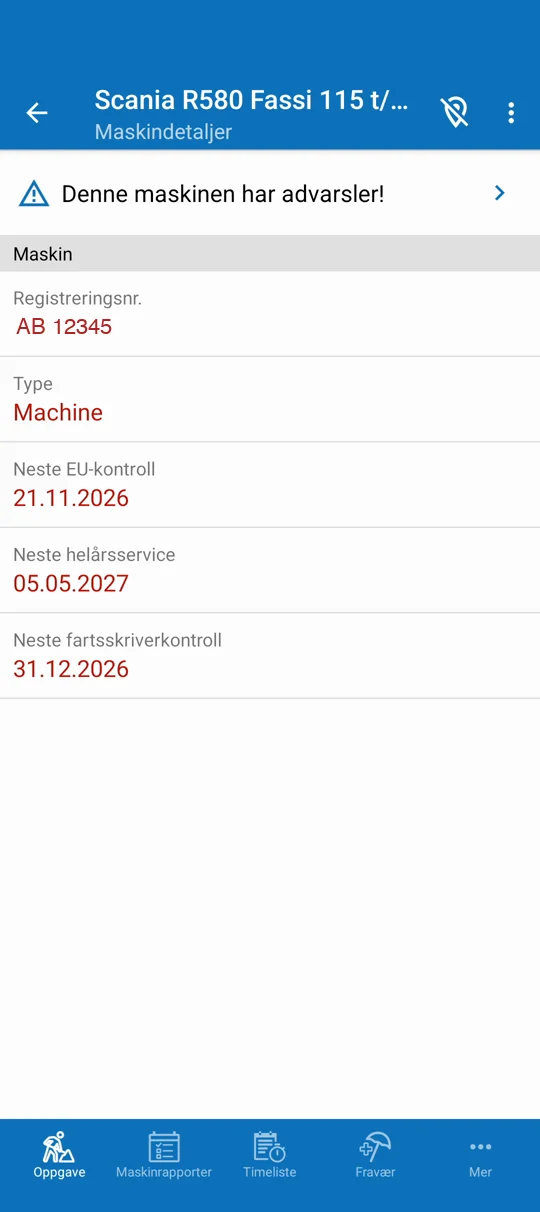
Shown with Xago Dispatcher machine fields
Every hour the employee has logged, filterable by date, week, month or year. Lines corrected by the office before payroll are flagged so the employee sees exactly what changed.
Standard Business Central absence registration. The employee reports, the manager approves, and approved absence is locked and blocks the day in Xago Order Calendar if you use it.
Qualifications from the employee card, with certificates as scanned documents. The employee can show a certificate on the spot or add a new course if that is enabled.
Optional. Shows the employee's latest known position on a map, and colleagues if enabled. Only the latest coordinates are stored, on the employee card in your Business Central.
The app is the front end. Business Central is the system of record. Nothing is copied between them because there is only one place the data lives.
A project manager creates a job task, a service order is released, or a planner places it on Xago Order Calendar. It appears in the worker's task list with the template your setup defines.
The worker navigates to the address, fills in checklists, takes photos, reads the documents and files a deviation report if something goes wrong.
Play and stop or manual lines on work types. The worker adds comments, checks the summary and signs. The customer signs on the same phone.
Signed lines are approved, invoiced and posted in Business Central. Work types map to payroll codes, so payroll can be run on the period straight away.
A signed line can be corrected but never deleted. The office can change a work type or an addition before payroll, and the employee sees a flag on the line that was changed.
Xago Mobile uses the objects your Business Central already has. We do not invent a parallel data model for the field.
Work types, resources, employee cards, absence registration and qualifications are all standard Business Central tables. Your reports and integrations keep working.
Task fields, machine fields, checklists, deviation reports and registration lines are templates. Change what the worker sees without changing the app.
Define which checklist answers create a warning on a resource. Warnings live in Business Central and are closed there or from the app.
Each work type carries a payroll code. Signed hours are approved and posted to a ledger that both invoicing and payroll run from at the end of the period.
Only the latest known position is stored, on the employee card in your own environment, never on our servers. Tracking runs within working hours, the employee can switch it off, and the office can switch it off for everyone.
The app runs on Android and iOS phones and tablets and connects to your Business Central online environment.
Ask us anything else in the form below.
No. The app is built on standard Business Central jobs, service orders, resources and employees, and on custom entities in your own extensions. Xago Order Calendar is an optional native Windows app for planning service orders and projects on a calendar board. Xago Dispatcher is a separate product for crane and transport dispatch.
Yes. The task view is a template. Some companies hide the person who ordered and show the site contact instead, others add a pickup address. Machine fields work the same way.
Technically it is a checklist with a deviation flag. When it is signed off it becomes an HSE or quality deviation in Business Central that management must document and close, rather than a report that is just filed.
They are approved in the back office, then invoiced and posted for payroll. Lines can be corrected before posting, and the employee sees a flag on every corrected line. Signed lines are never deleted.
On the employee card in your Business Central environment, and only the latest known position. There is no history. Tracking runs in a configurable working-hours window, and the employee can turn it off or extend it for a shift.
Any work type you set up in Business Central: machine hours, travel, internal time, overtime, toll roads, kilometres, per diem, private or company car. Each has its own template and rules, and a payroll code.
Tell us where your tasks come from and how many people work in the field. We show the full flow from task to signed hours to Business Central.
Thanks — we have it.
We will be in touch shortly to book a walkthrough.