Customer, crane and period
Who it is for, which crane, from when to when. Create the customer and the reservation from the same role center.
Xago Dispatcher runs crane rental inside Microsoft Dynamics 365 Business Central. The reservation holds the customer, the crane, the period and the price. Order Calendar puts cranes and operators on one board. The operator gets the job in the Xago app, and the signed hours come back to the same reservation for invoicing and payroll.
A customer calls for a crane. The dispatcher creates a reservation in Business Central with the customer, the crane, the period and the price. Planning, the operator's hours and the invoice all hang off that one record.
Who it is for, which crane, from when to when. Create the customer and the reservation from the same role center.
Hourly or daily rates, minimum hire and surcharges are set on the reservation and follow it to the invoice. No separate price list in a spreadsheet.
Ballast, jib, trailers, road-closure kit and generators are resources you plan with the crane. When your own fleet is full, a hired-in crane goes on the reservation the same way.
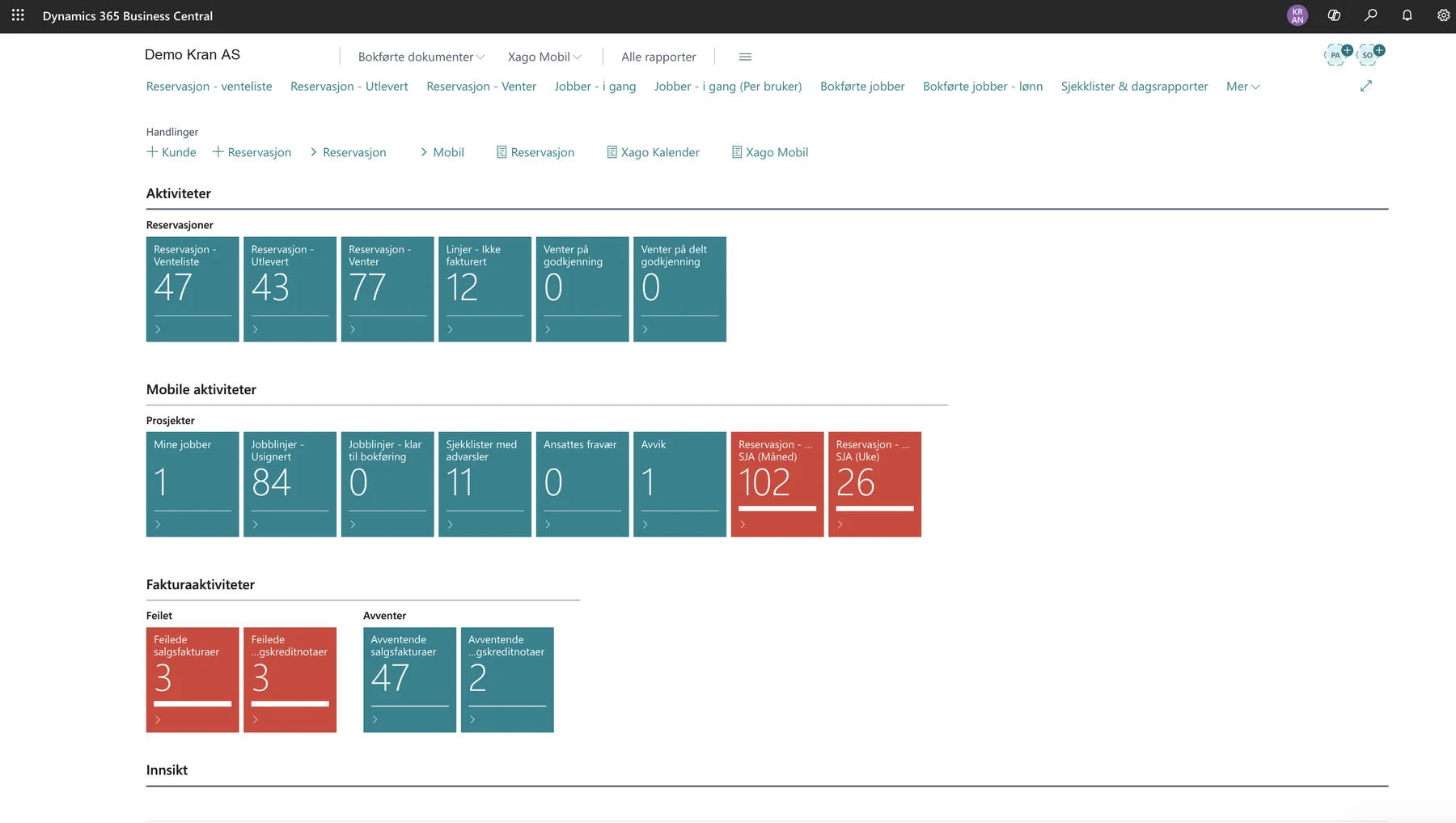
See what is waiting for a crane, what is confirmed and what is out on hire. The role center counts each one.
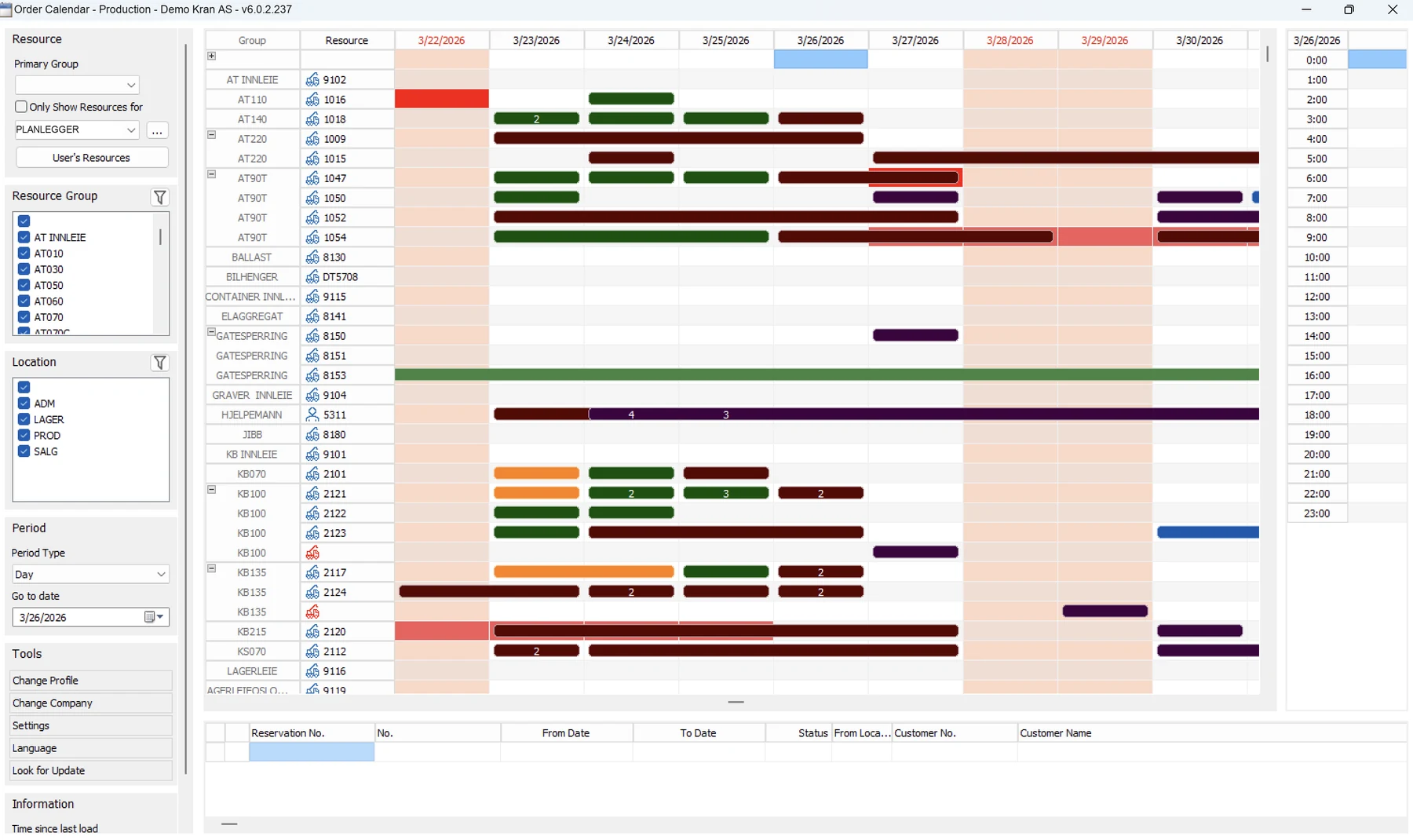
Xago Order Calendar is a Windows app that reads reservations straight from Business Central. Each row is a crane, an accessory or a person. Each bar is a reservation.
With Dispatcher, the Xago app is set up for crane work, with tabs for the assignment, machine reports, machines and the time list. It works offline and syncs when the phone has signal again.
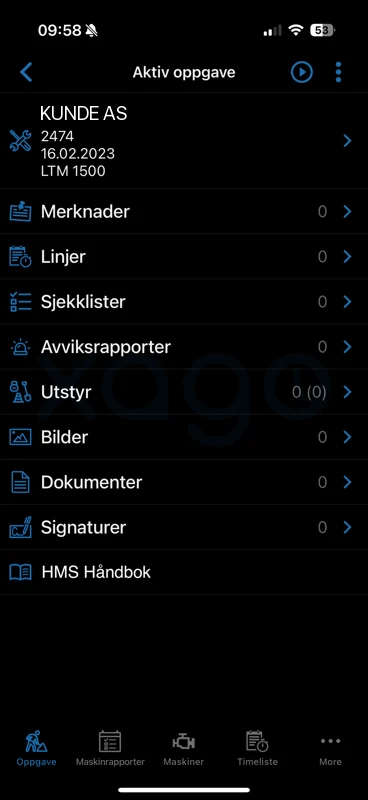
Customer, reservation number, date and crane at the top. Below are notes from the office, checklists, deviation reports, equipment, photos, documents and signatures.
Before the first lift, the operator runs the pre-start inspection on the crane. An answer can raise a warning on the machine.
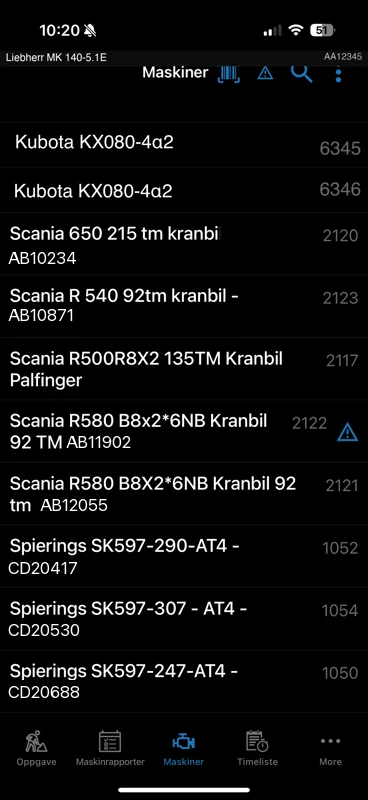
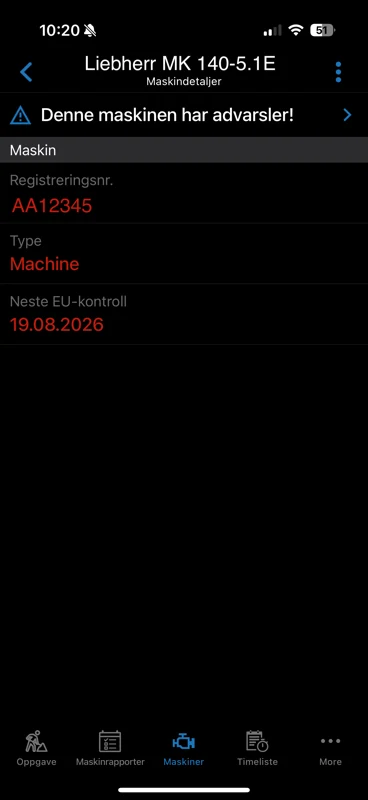
The operator can look up any crane: registration number, next EU inspection and open warnings. Dates that need attention are shown in red.
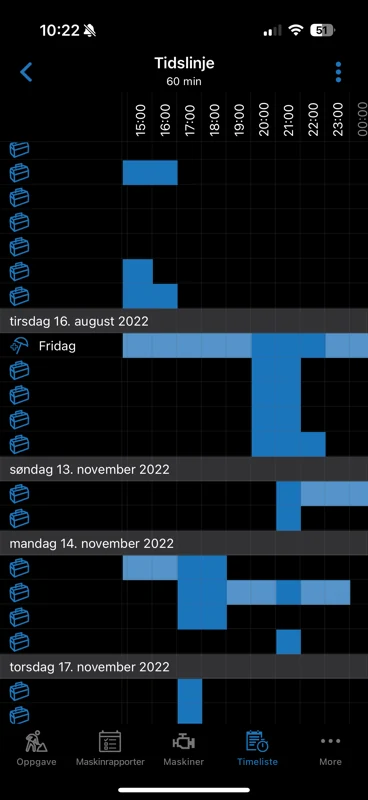
Start and stop on the job, or add lines by hand: machine hours, travel, overtime and allowances. The operator signs, the customer signs on the same phone, and the driving note can go to the customer.
Absence, qualifications and the map are in the app too.See the full app tour
With Dispatcher, every crane in Business Central gets a full machine card: capacity, registration number and the dates that keep it legal on the road and on site. The operator sees the same card in the app.
The Dispatcher role center in Business Central counts what needs attention: reservations by status, lines not yet invoiced, hours waiting for approval, unsigned job lines, checklists with warnings, deviations and reservations missing an SJA.
Customer, crane, period and price go on the reservation. It stays on the waiting list until there is a crane for it.
Place the crane, accessories and operator in Order Calendar. The status follows the job from waiting list to pending to on hire.
The operator completes the SJA and the machine report, does the job and registers hours. Operator and customer sign on site.
Signed lines are approved, with split approval when more than one person must sign off, and then posted. The invoice uses the reservation's prices, and the same posted lines go to payroll.
Most dispatch tools add a second system next to your ERP, and someone reconciles the gap by hand. Xago Dispatcher is built inside Business Central as extensions. Customers, reservations, prices, machines and hours live where your finance team already works.
The same architecture lets you grow without changing systems. A new depot, a new crane class or a new way of pricing is an extension of what you already have, not a new project.
Xago Mobile is the field app for standard Business Central jobs and service orders. Xago Dispatcher adds the crane rental side: reservations with rental pricing, machine cards with inspection dates and the Dispatcher role center. With Dispatcher, the app gets machine reports and the machine list.
Order Calendar is the planning board. The reservations themselves live in Business Central, so you can also work from the lists in the role center.
Yes. Hired-in cranes and other hired-in equipment are resources like your own, with their own groups on the board, and they go on the reservation the same way.
Rates, minimum hire and surcharges are set on the reservation. The operator's signed lines are approved and posted against it, and the invoice is built from those lines and prices. Each work type also carries a payroll code.
They are fields on the machine card in Business Central: next EU inspection, annual inspection and tachograph inspection. The app shows them to the operator and marks them red when they come due.
Yes. The operator can keep working offline, and the app syncs with Business Central when the phone is back online.
30 minutes with someone who has set this up for crane companies. Tell us about your fleet and how you plan today, and we will show you the flow from reservation to invoice.
Request received.
We'll be in touch within one business day.